Control · Integrations
Ask for the integration. Review what the AI proposes.
Describe the connection you need and share the provider instructions. The AI proposes the settings, explains where they came from and asks about anything missing. You decide which changes to accept.
The AI prepares the settings and explains its choices. Your team reviews each proposal before applying it, and can undo an accepted proposal.
You ask
“Here is the provider’s Postman collection. Set up a status lookup for our existing request screen.”
AI proposes · 6 changes
- + OperationsThe AI identifies the actions available in the supplied collection of example API requests. Your team reviews which actions belong in this connection.
- + Token operationA token is a temporary access pass used to sign in to a service. Review how the proposed connection obtains that pass and renews it when it expires.
- + CredentialsThe engine removes exposed passwords and keys from the inputs and stores them in a protected vault. The proposal uses references to those entries; the AI never receives the secret values.
- + Field mappingThe AI proposes which form values to send and which returned values should fill your screen. Review each match before accepting it, including any change to the data format.
- + Mock setsReview three prepared test replies using invented data: a successful result, a failure and a result that is still pending. These let your team check the screen before using the real service.
- + AssumptionsSee every setting that was inferred or filled in with a default. Each entry explains why it was chosen, what supports it, the risk involved and how your team will check it.
- Nothing applies until you approve.
- Every value shows its evidence.
- The AI never sees keys or passwords.
- People approve provider versions before production use.
Five ways to answer
If you know the exact answer, enter the value. You can also answer in your own words: the AI turns your explanation into a specific setting and asks you to confirm it. For example, “about two seconds” becomes “2000 milliseconds” for you to check.
If you choose “I don’t know”, setup continues with a safe default that is recorded for review. “I’ll find out” prepares a question you can send to the provider. “Show me an example” helps the engine learn from a sample, a mock or an approved test call.
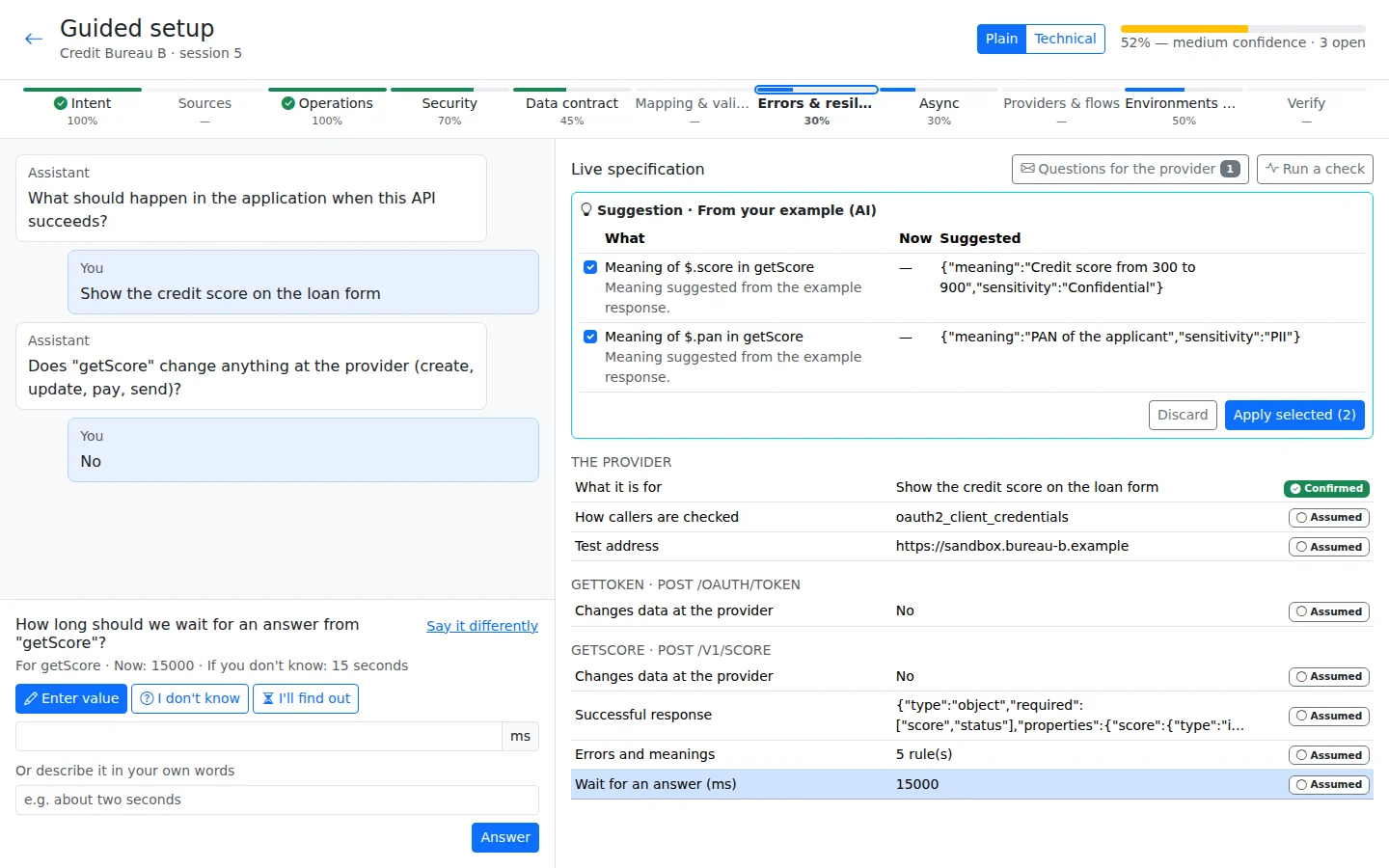
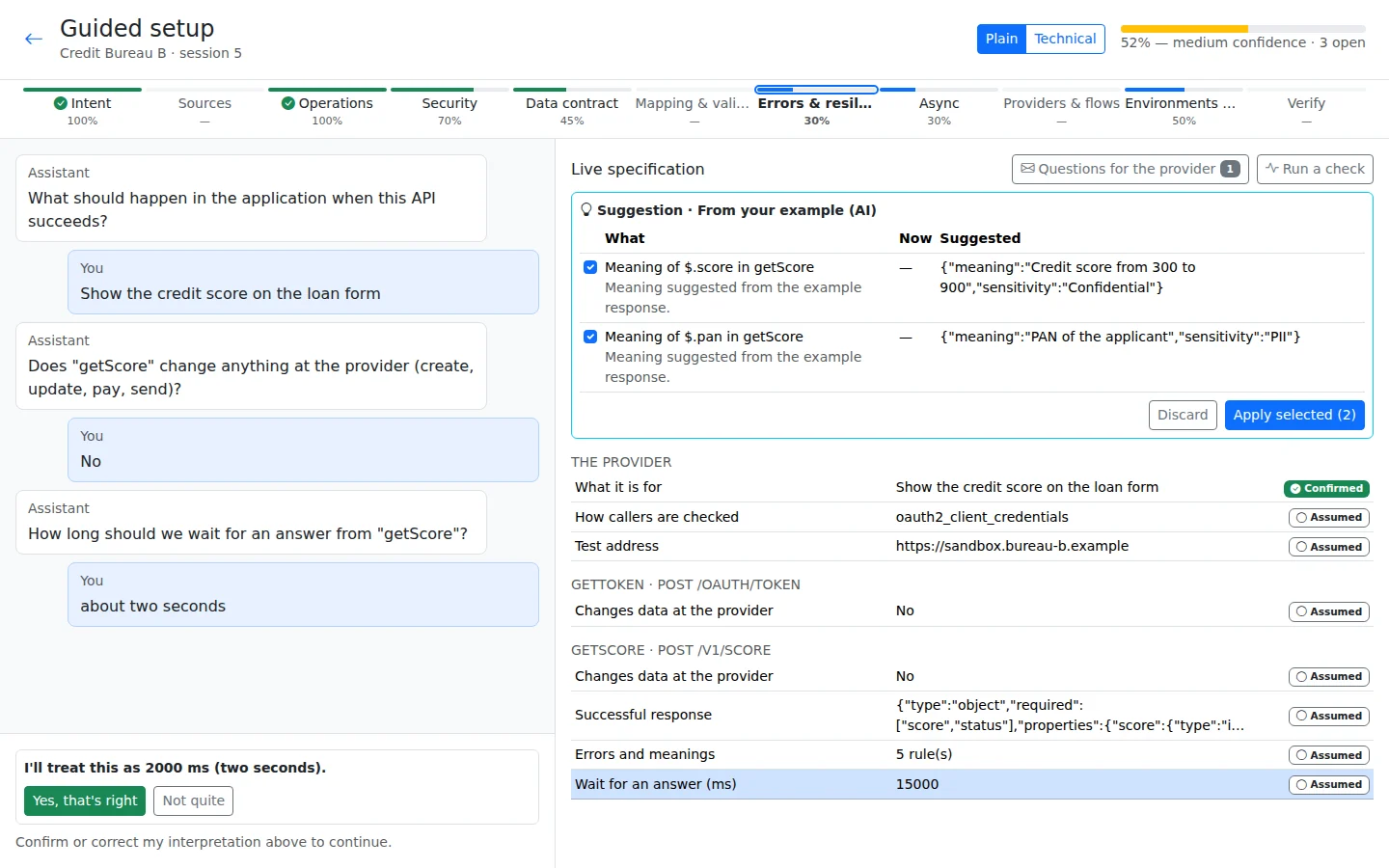
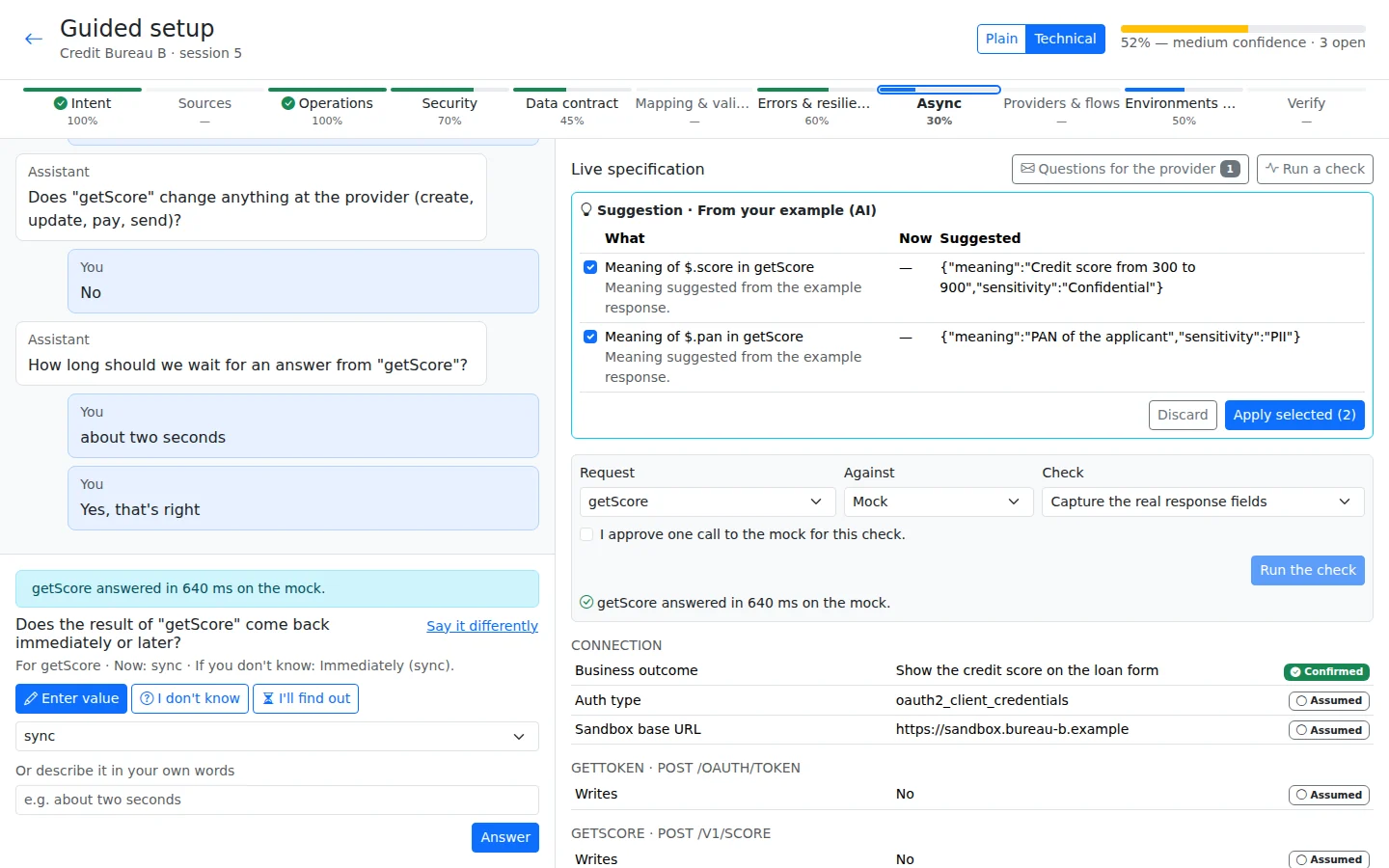
Approve a probe
A probe is a small test used to check an assumption, such as what a reply contains. The engine asks for your approval and runs probes only against mocks or a sandbox, never production. The expired-token probe currently uses mocks only. Its result is saved as evidence against the assumption.
You can switch between plain-language guidance and technical details without starting again. Confidence indicators show how complete each stage is and where information still needs checking; they do not replace your team review.
Resolve disagreements before applying them
If a document and a later answer disagree, the engine shows both sources instead of silently replacing the earlier value. Your team decides which information to keep. If the settings change after a proposal was prepared, the old proposal cannot be applied unchanged; it must be refreshed against the current settings.
Build your first app free
All platform features, hosted by us for 120 days. For testing and evaluation, subject to our Fair Use Policy.
Updated 30 October 2026