Control · Integrations
Set up a connection, one step at a time.
You can begin even when the provider has supplied incomplete instructions. The engine shows what it knows, asks for the missing details and helps your team test the connection before using it for real work.
Work through setup, match the fields and test the results. Your team approves the connection before it goes live, then monitors how it runs.
Steps
Give what you have
Upload the instructions, files or examples supplied by the service provider. The engine reads structured files directly and uses AI to extract details from written documents. Uploaded content is treated as information to inspect, so instructions hidden inside a document cannot direct the AI.
Read the gaps
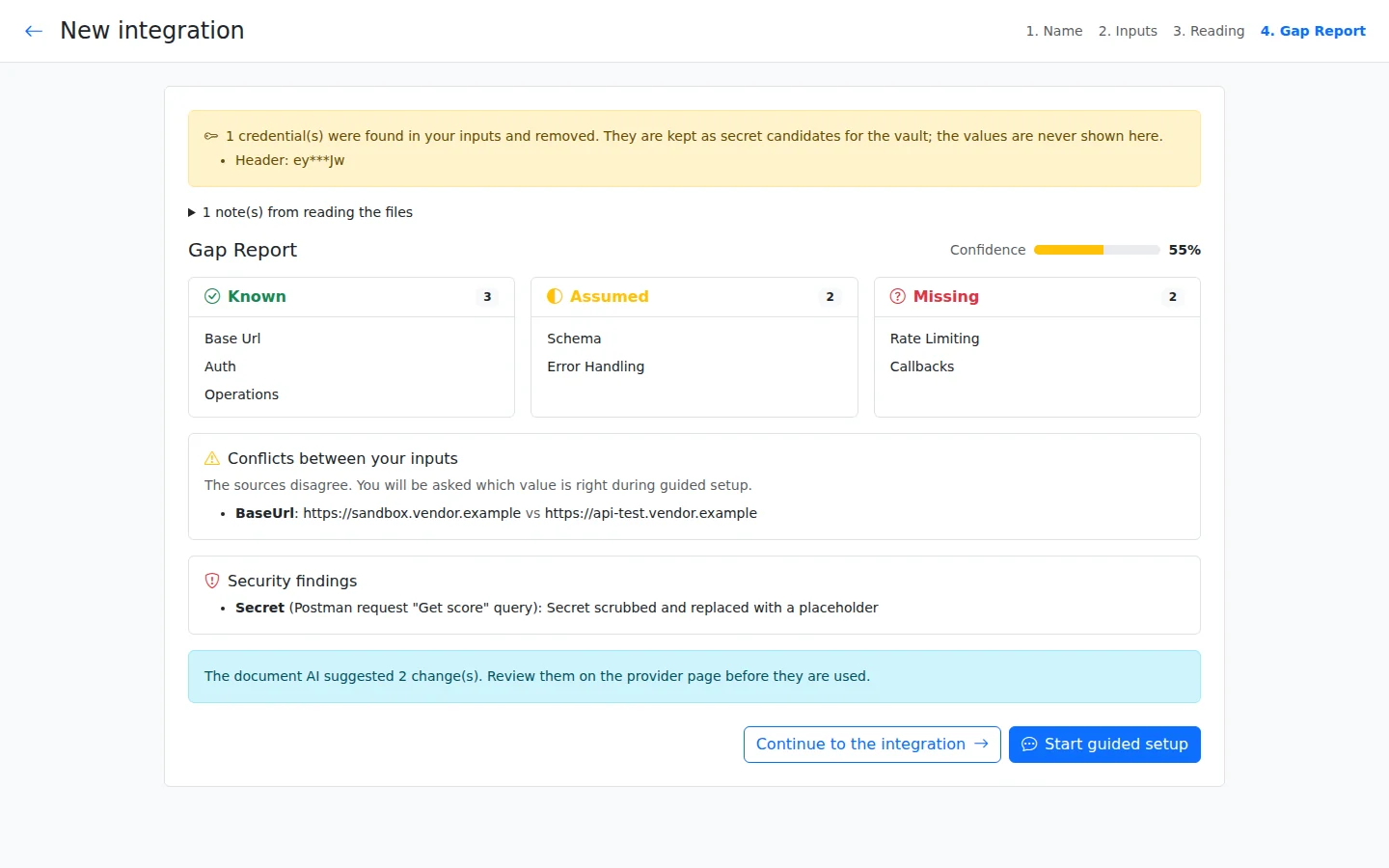
The Gap Report separates confirmed details from assumptions and information that is missing. Each item points to its source, such as a document page or example request. If two sources disagree, your team can see the conflict; exposed passwords are moved to protected storage and removed from the configuration.
Answer guided questions
The AI guides you through 11 stages, covering the purpose, security, data, testing and other setup decisions. You can answer in everyday language or say you do not know. Any default used to keep setup moving is recorded as an assumption, together with its risk and how it will be checked.
Register and map
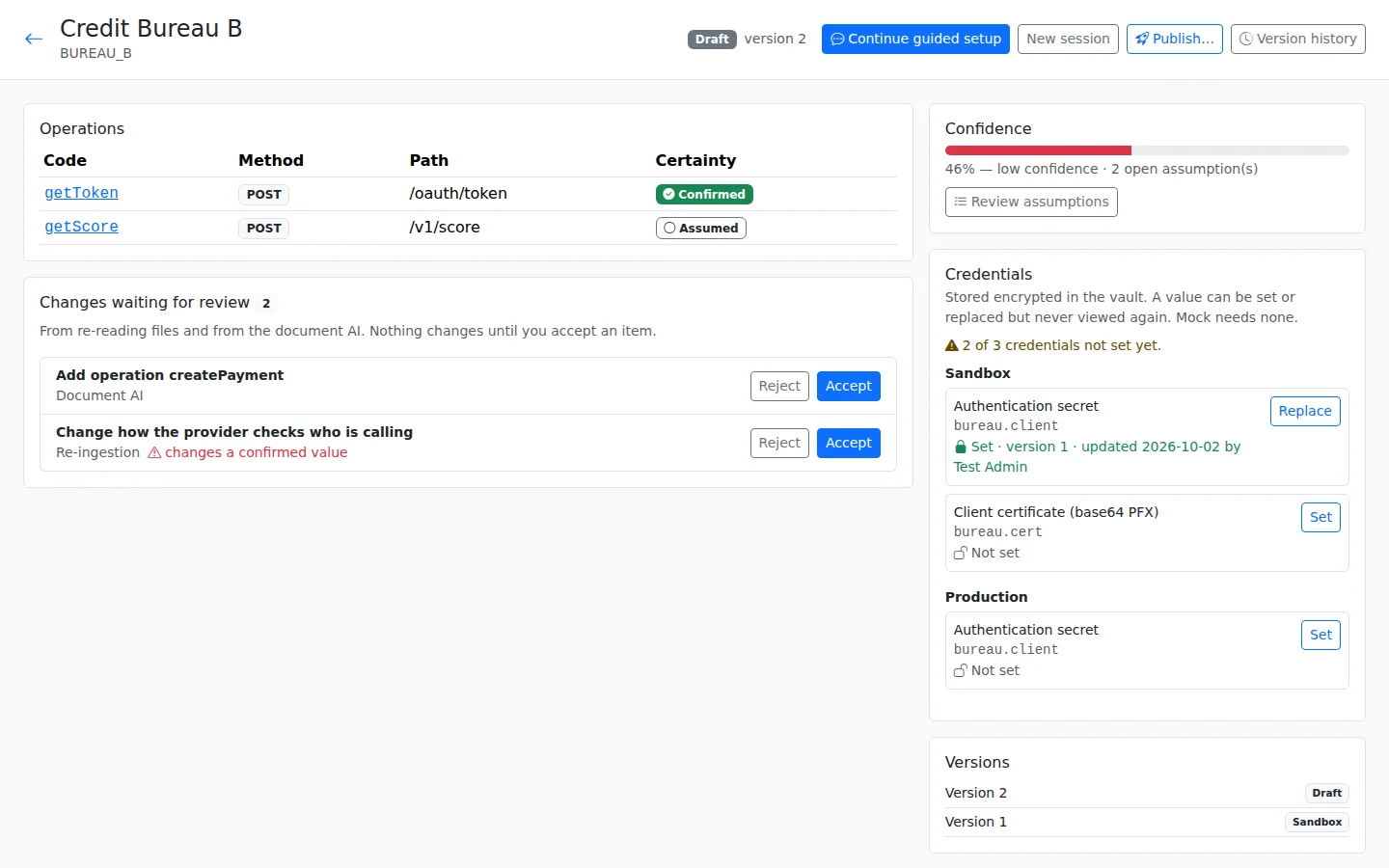
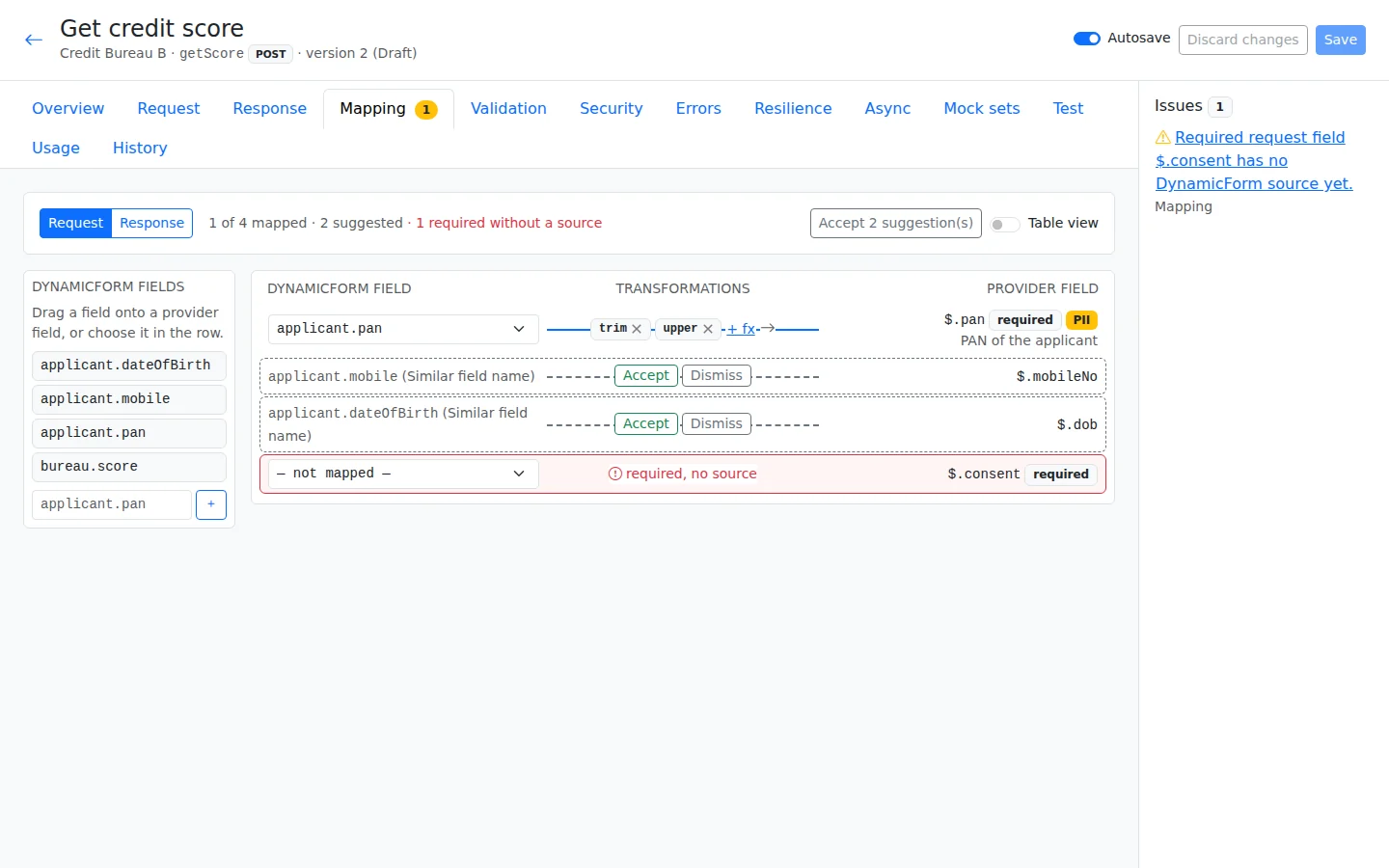
Review the available operations, meaning the actions the service can perform, and how the connection signs in. Then map the fields: match each value in your form to the field the provider expects. The AI can suggest these links, but they remain dashed on the canvas until your team accepts them.
Mock and test
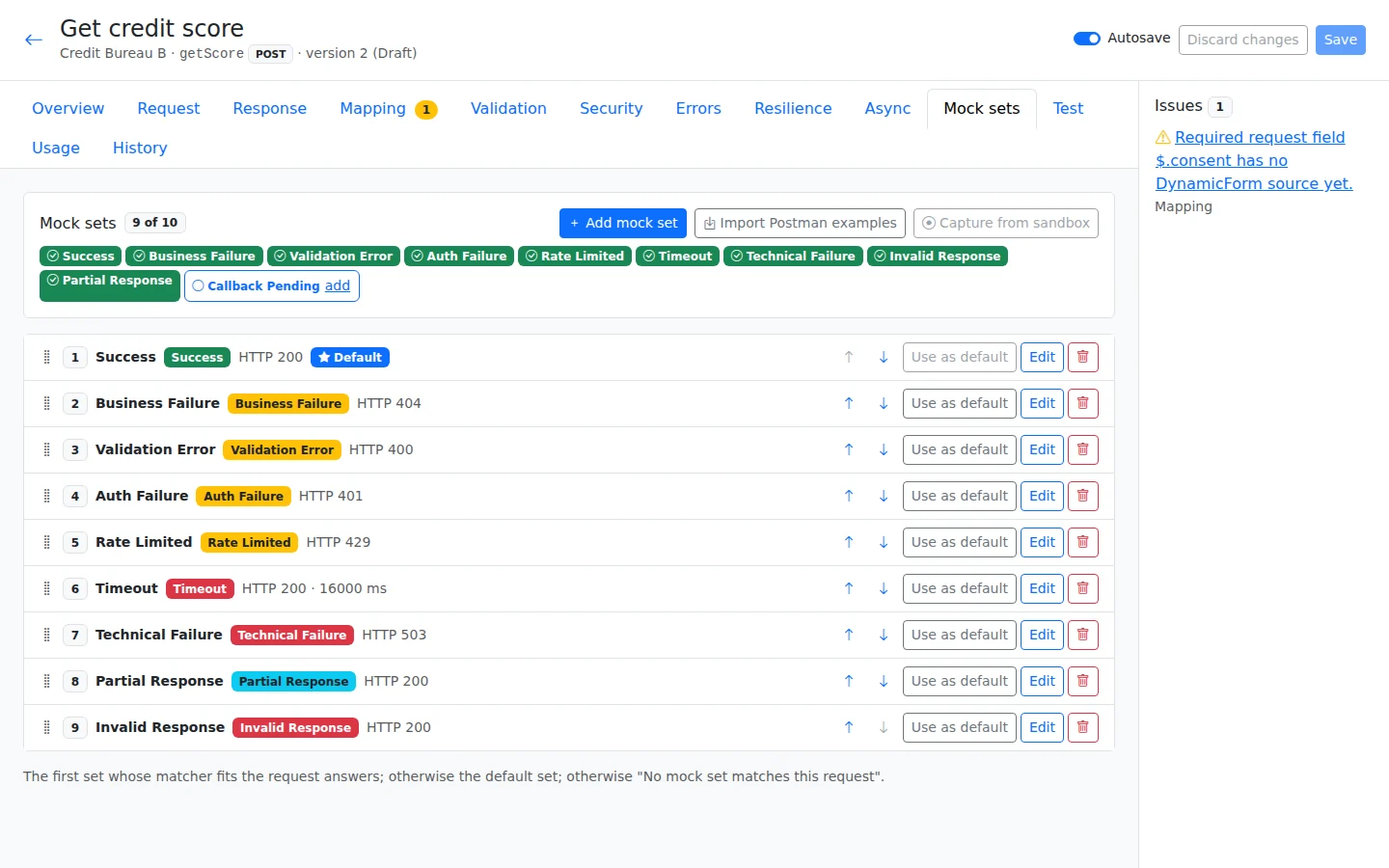
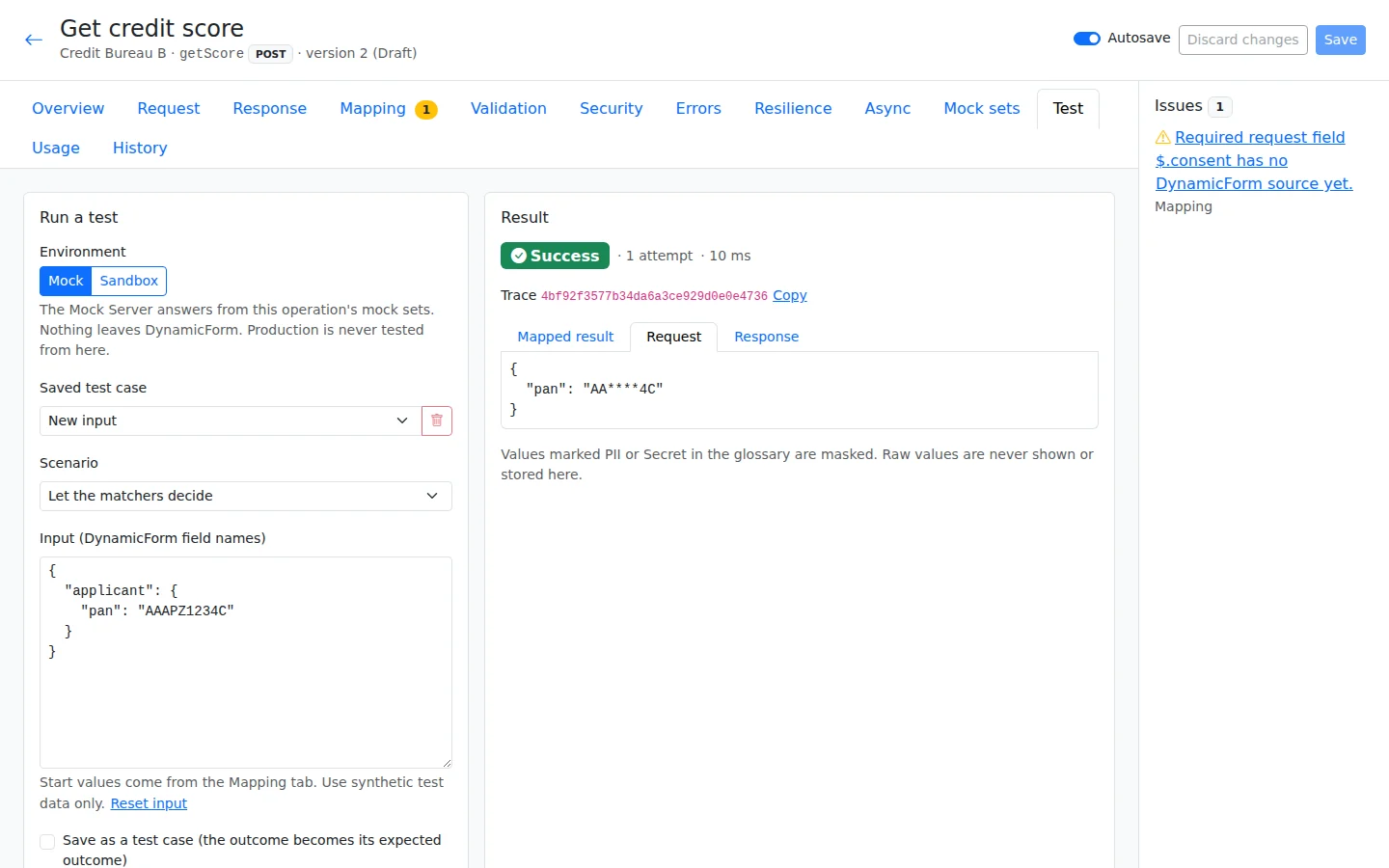
Try prepared replies called mocks, or use the provider test environment, called a sandbox. Check what happens when the service succeeds, fails or takes too long, using invented data. Save useful runs as test cases so your team can repeat the same checks after a change.
Choose the use
Choose where the connection should run, such as a button, a field change or a workflow step. For each possible result, choose what happens next: fill a field, show a message, wait, or send the case down a different path. The same connection can be used in more than one place.
Approve and publish
Review the settings, test results and outstanding assumptions before asking for approval. High-risk assumptions must be verified before production; other assumptions must be verified or accepted by an approver. The final approver publishes the connection for real use.
Watch and improve
Monitor the requests sent to the service and the results it returns. Alerts help your operations team notice failures, slow replies or other problems. A call trace records what happened during a request, with personal information hidden, so the team can investigate and propose a new version when needed.
Review the evidence
Test before use
Example · Customer Loan Origination
The loan example checks which screen fields are filled by a sample reply, using invented data. The test console shows the request with personal information hidden, so the team can inspect how the connection behaved.
One call, start to finish
Check readiness before moving forward
Mock, Sandbox and Production are separate stages of readiness. Before a provider version moves to Sandbox, every operation needs a passing saved mock test. Before it moves to Production, every operation needs a passing saved sandbox test. This gives reviewers evidence from both a simulated reply and the provider test system.
The readiness checklist also shows missing credentials and outstanding assumptions. The approval request keeps the settings, test evidence and differences reviewers saw, and the final publication checks readiness again.
Build your first app free
All platform features, hosted by us for 120 days. For testing and evaluation, subject to our Fair Use Policy.
Explore DynamicForm
Updated 16 November 2026